




























About Forexiro: Automated Trading Software for H4 Gold Structure
Forexiro is an automated expert advisor programmed for the XAUUSD H4 timeframe that utilizes a pending order architecture. The system places orders at predefined structural levels, executing only when price action aligns with the programmed directional parameters. To manage open positions, the software integrates a strictly bounded martingale lot-sizing algorithm with a historically documented maximum scaling depth of five steps.

Introducing Forexiro: Expert Advisor for Gold Trading on MT4
High-Timeframe Market Processing
Forexiro provides automated execution tools programmed to process H4 gold market impulses based on predefined structural parameters.
Algorithmic Position Sizing
The software utilizes a bounded martingale lot-sizing algorithm, automatically adjusting position volumes mathematically in response to open market exposure.
H4 Trend Alignment Strategy
Forexiro identifies programmed local support and resistance levels. The software is configured to authorize entries only when price action aligns with the primary H4 trend conditions.
Technical Deployment and Software Access
To integrate the Forexiro algorithmic architecture into your MetaTrader 4 terminal, proceed with the system installation framework. Review the provided configuration manuals, structural parameter documentation, and user-defined risk threshold settings prior to activation. Technical documentation and system files are accessible immediately to assist with terminal deployment.
BUY NOW
Structural Features of the Forexiro Trading Software
H4 XAUUSD Market Analysis Logic
This automated trading system continuously scans the H4 XAUUSD chart to detect structural variations in trend direction and predefined technical price levels. Operating without primary reliance on lagging mathematical indicators, the software analyzes underlying price action mechanics to log structural shifts in market direction. The integrated pending order architecture restricts execution triggers until price action crosses specified confirmation boundaries.
- Market Trend Monitoring: The system processes data feeds to monitor prevailing market trends, providing updated structural status logs within the execution terminal.
- Price Level Tracking: Real-time metrics evaluate current price movements against historical boundaries, enabling automated sorting of technical data.
- Technical Setup Identification: The software isolates specific chart conditions that match programmed technical parameters, permitting automated order scheduling based strictly on predefined rule matrices.
Algorithmic Position Scaling Logic
Forexiro integrates a programmed lot-sizing algorithm designed to adjust order volumes based on market exposure parameters. When an open position deviates from predefined entry conditions, the software automatically scales subsequent order volumes according to a structured mathematical sequence. Historically, the algorithm has reached a maximum scaling depth of five steps.
- Dynamic Volume Adjustment: The software programmatically evaluates current market exposure and adjusts order sizing dynamically, adhering to predefined risk management thresholds.
- Automated Scaling Sequence: In the event of an open position remaining active, the algorithm automatically calculates the necessary volume increase to maintain the programmed technical sequence.
- Performance Metrics: The scaling logic is configured to align volume adjustments with programmed structural limits, aiming to maintain operational parameters during varying market conditions.
Historical Data Backtesting Framework
The Forexiro software is backtested using 100% quality tick data from Tick Data Suite for the period starting in 2016. This testing process models historical slippage, spread fluctuations, and order execution behavior to evaluate the software's structural logic across past market conditions.
- Historical Data Analysis: Users can utilize the backtesting interface to process historical market data and evaluate the operational performance of specific trading configurations.
- Parameter Evaluation: The backtesting suite allows users to identify specific performance metrics, enabling the structural refinement of system parameters.
- Strategy Calibration: Insights gained from backtesting can be applied to adjust strategy parameters, focusing on programmed risk management settings for real-time market environments.
System Risk Management Parameters
The automated trading software applies predefined Stop Loss and Take Profit levels to every executed position. A minimum capital of $10,000 USD is recommended to align the programmed lot-sizing sequence with the intended risk management parameters. All lot sizing, scaling parameters, and risk thresholds are user-configurable within the software settings.
- Fixed Stop Loss and Take Profit: Users can program specific Stop Loss and Take Profit levels to define risk parameters for each position.
- Customizable Risk Profiles: The risk management framework is designed to be user-configurable, allowing for adjustments to match specific trading requirements and risk tolerance levels.
- Adaptive Position Sizing: The software dynamically adjusts position volumes based on programmed market condition variables and risk factor metrics.
Technical Support and Resource Overview
Forexiro provides technical assistance and educational documentation to support the installation and configuration of the automated trading software.

Technical Configuration Assistance
Support personnel are available to address queries regarding software installation, parameter setup, and technical risk threshold configuration for active accounts.

Educational Resources
A technical library is provided, covering the structural mechanics of the Forexiro system, H4 gold market characteristics, and general automated trading concepts.
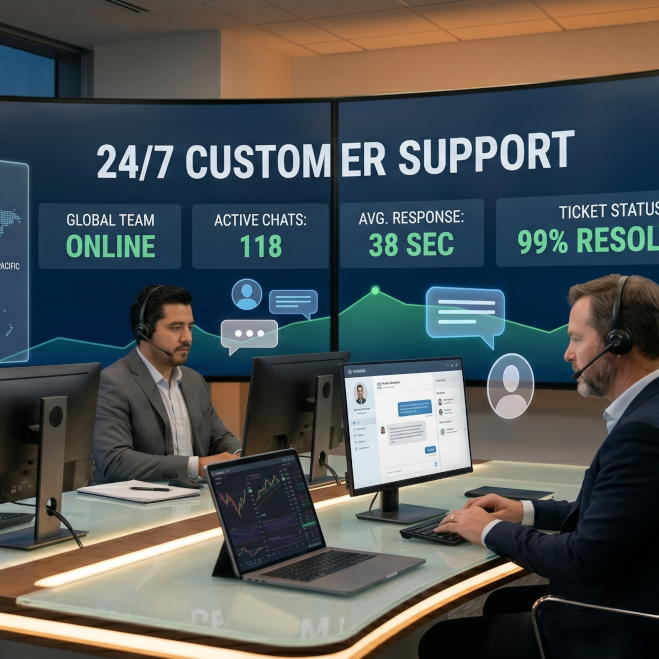
24/7 Technical Support
Because the automated trading software is designed to operate during market hours, technical support is available to assist with installation, configuration, and operational system issues.
How to Install and Configure Your Product
To set up the software for operation, follow these technical steps:
Continuous Learning
The key to success in trading is continuous learning and improvement. Stay updated on market trends, economic indicators, and trading strategies by regularly reading educational materials, attending webinars, and engaging with the trading community. By investing in your knowledge and skills, you can adapt to changing market conditions and enhance your trading performance over time.
Security Measures
Protect your trading account and personal information by implementing robust security measures. Use strong, unique passwords for your trading accounts and enable two-factor authentication whenever possible. Be cautious of phishing attempts and only download software from reputable sources to minimize the risk of malware.
Market Volatility Alert
Markets can be highly volatile, with sudden price fluctuations occurring at any time. Stay informed about market volatility and monitor economic news and events that may impact your trading decisions. Utilize risk management strategies to mitigate potential losses during periods of heightened volatility.
Risk Disclaimer
Trading involves significant risk and may not be suitable for all investors. Before engaging in any trading activity, it is important to carefully consider your investment objectives, level of experience, and risk appetite. Remember that past performance is not indicative of future results, and there is always the potential for loss.